The OpenProject platform provides a self-hosted project management system within LGF. It includes work packages, timelines, agile boards, wiki functionality, and collaboration features.
Overview
OpenProject is used as a Jira-like project tracking system on an LGF-managed host.
- Work package and task management
- Timelines and planning
- Agile boards
- Wiki and collaboration tools
This platform deploys the OpenProject web application along with its required backing services inside a single LGF bench.
Deployment
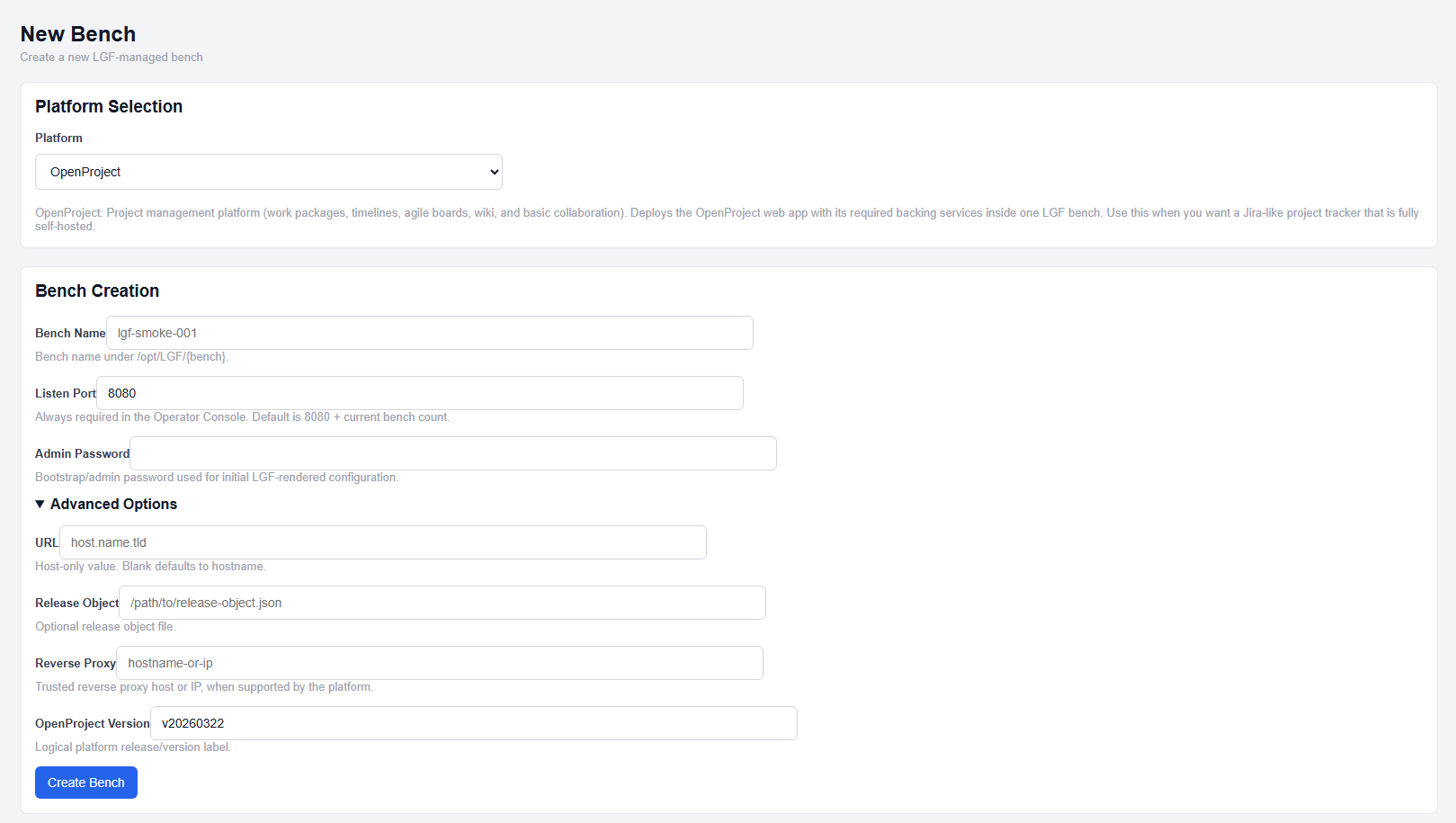
OpenProject deployment configuration
- Select OpenProject from the platform dropdown.
- Enter a Bench Name.
- Set the Listen Port.
- Enter an Admin Password.
- Enter an OpenProject Version.
- (Optional) Configure additional fields.
- Click Create Bench.
Required Fields
- Admin Password: Bootstrap/admin password used for initial configuration
- OpenProject Version: Logical platform release/version label (e.g., v20260326)
These fields are required for deployment.
Standard Fields
- Bench Name: Unique identifier for the deployment
- Listen Port: External listener port (auto-allocated if not set)
- URL: Host-only URL (no scheme, path, or port)
URL defaults to an automatically generated hostname if not provided.
Advanced Options
- Reverse Proxy: Edge reverse proxy host or IP
This option is used when deploying OpenProject behind an external reverse proxy.
Expected Result
- The OpenProject bench is created and enters a building state
- Services are deployed and initialized
- The OpenProject interface becomes accessible via configured port or hostname
Important Notes
- Admin Password and OpenProject Version are required
- URL must be host-only (no scheme, path, or port)
- Listen Port defaults to an automatically assigned value if not specified
- Reverse proxy is recommended for external access
Next Steps
- Access the OpenProject interface using the configured endpoint
- Log in using the admin account
- Configure projects, users, and workflows