The Hosts page lists LGF hosts registered with Air Traffic Control (ATC). Use this page to search hosts, filter by group, open a host's Operator Console, and assign hosts to groups.
Hosts List
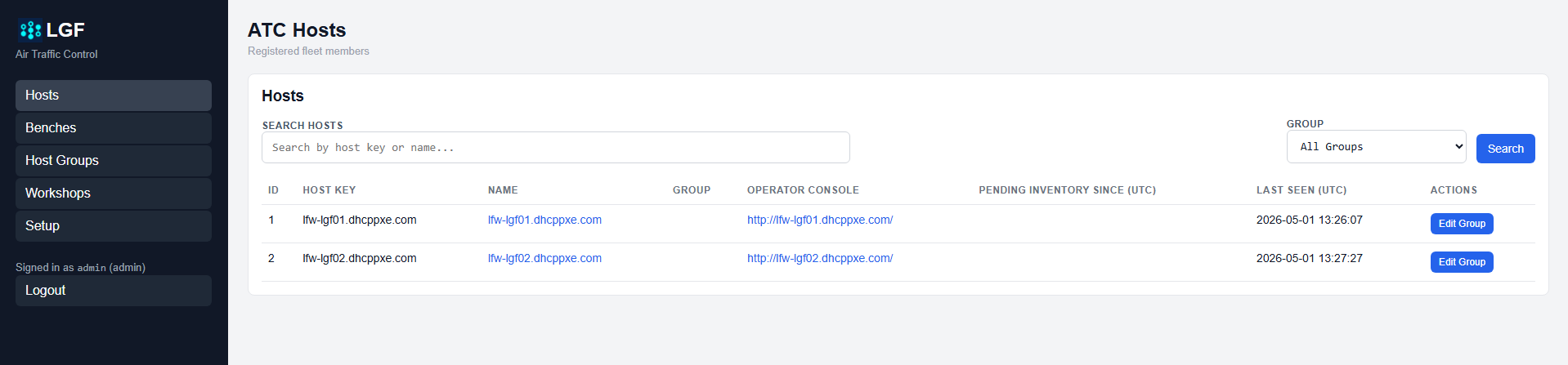
ATC Hosts page
The Hosts list shows registered fleet members and includes:
- Host Key: Stable identifier for the host
- Name: Display name for the host
- Group: Assigned host group, if any
- Operator Console: Link to the host's Operator Console
- Last Seen: Last time ATC saw the host
Open a Host Operator Console
Clicking either the host Name or the Operator Console link opens that host's Operator Console.
Search and Filter Hosts
Hosts can be filtered in two ways:
- Search Hosts: Search by host key or name
- Group Filter: Show hosts assigned to a selected group
Assign a Host to a Group
Click Edit Group next to a host to assign or remove its group membership.
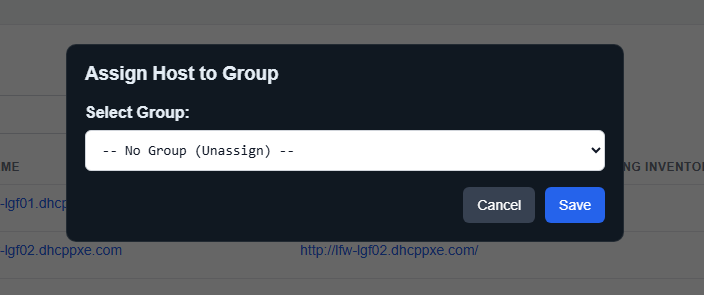
Assign host to group dialog
- Click Edit Group for the host.
- Select a group from the dropdown.
- Click Save.
Expected Result
- Registered hosts are visible in ATC.
- Hosts can be searched or filtered by group.
- Host group assignment is updated from the Hosts page.
- Host links open the corresponding Operator Console.