The LDAP and RBAC settings control how operators authenticate to ATC and how directory groups are mapped to ATC roles.
Important: When LDAP settings are saved, they are automatically pushed to all registered hosts.
Authentication Mode
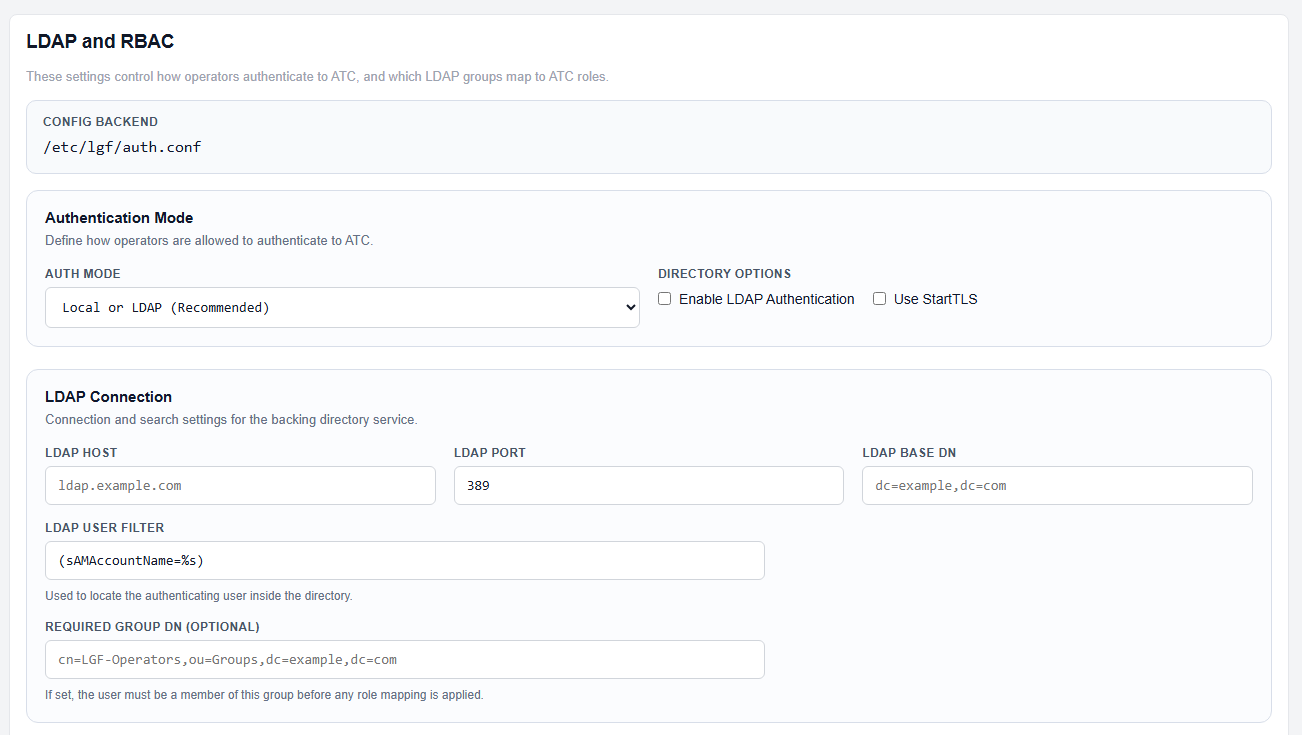
LDAP Authentication Mode and Connection Settings
- Auth Mode: Choose how users authenticate (Local, LDAP, or both).
- Enable LDAP Authentication: Enables directory-based login.
- Use StartTLS: Enables encrypted LDAP communication.
LDAP Connection
- LDAP Host: Directory server hostname.
- LDAP Port: Typically
389(or636for LDAPS). - Base DN: Root search path for users.
- User Filter: Query used to locate users (example:
(sAMAccountName=%s)). - Required Group DN (Optional): Restricts access to members of a specific LDAP group.
Bind Account
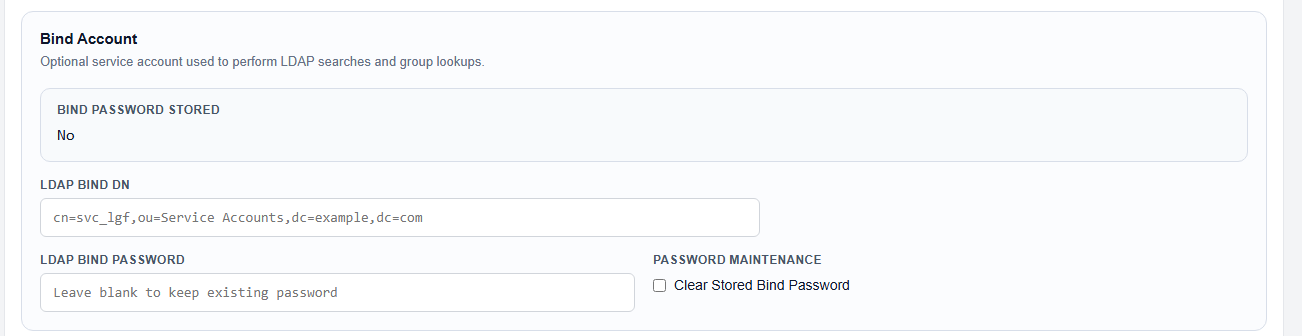
LDAP Bind Account and RBAC Mapping
The bind account is an optional service account used to perform LDAP queries.
- Bind DN: Distinguished Name of the service account.
- Bind Password: Password for the service account.
- Clear Stored Password: Removes saved credentials.
RBAC Mapping
RBAC mapping assigns LDAP groups to ATC roles.
- Observer Group DN: Read-only access.
- Operator Group DN: Standard operational access.
- Admin Group DN: Full administrative access.
Session Settings
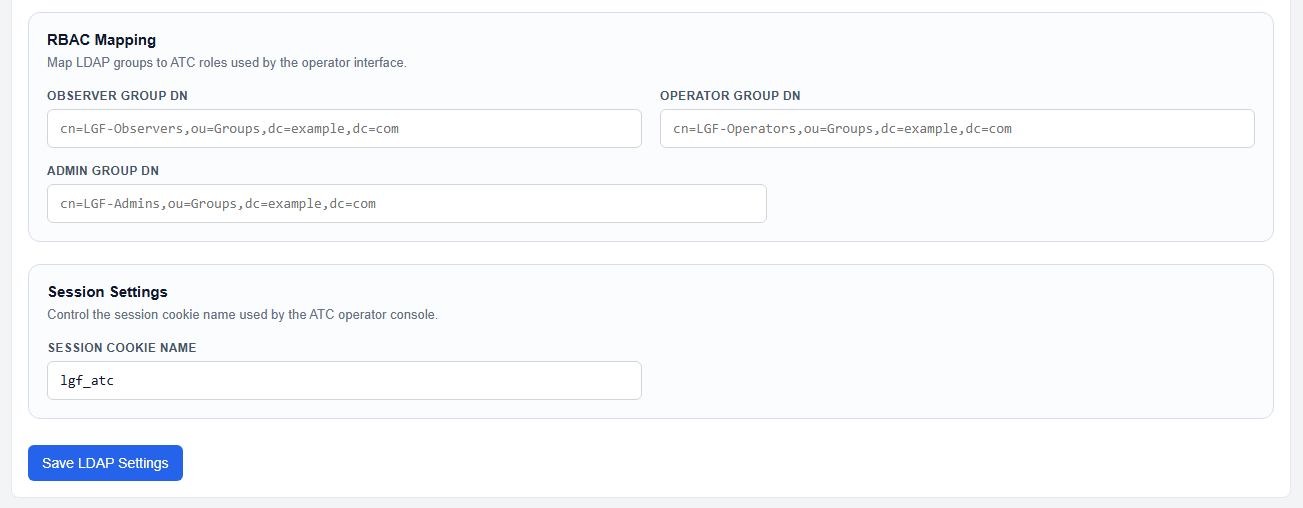
Session Settings
- Session Cookie Name: Defines the cookie used by the ATC operator console.
Save Configuration
- Configure authentication, LDAP connection, and RBAC mappings.
- Click Save LDAP Settings.
Expected Result
- LDAP authentication is enabled and functional.
- Users can log in based on directory credentials.
- Roles are assigned based on LDAP group membership.
- Settings are automatically propagated to all registered hosts.