The Ollama platform provides a local AI inference stack within LGF. It supports flexible deployment modes for model serving and user interaction, allowing separation of compute (Ollama) and interface (OpenWebUI).
Overview
This platform enables on-prem LLM deployment and management, including:
- Local model inference via Ollama
- Web-based interaction via OpenWebUI
- Multi-node architecture (shared UI across multiple Ollama nodes)
- Optional GPU acceleration
Ollama supports three deployment modes depending on your architecture.
Deployment Modes
OpenWebUI + Ollama (Hybrid)
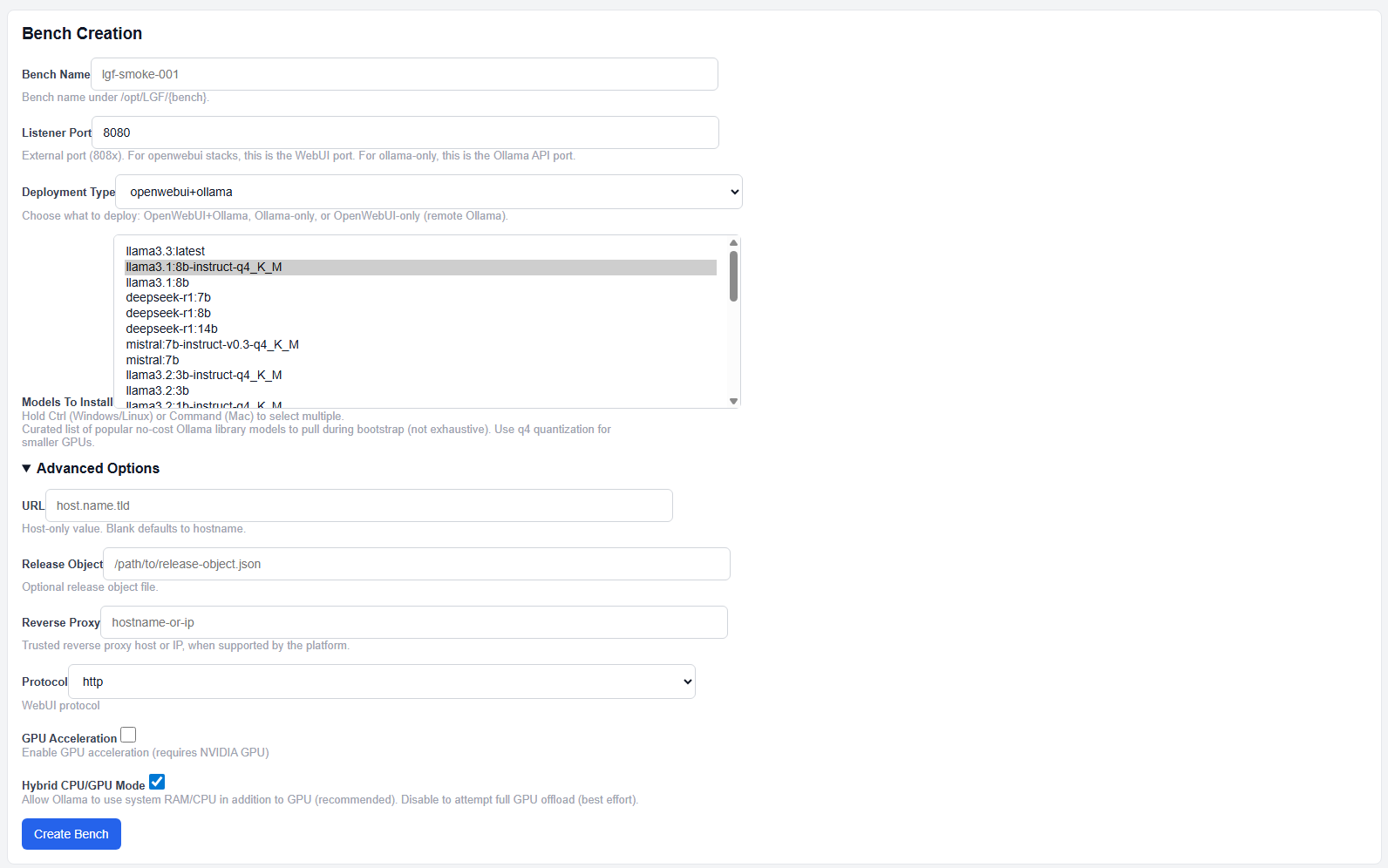
Ollama with OpenWebUI deployment
This mode deploys both:
- Ollama (model inference)
- OpenWebUI (user interface)
This is the default and recommended for single-node deployments.
Ollama Only (API Node)
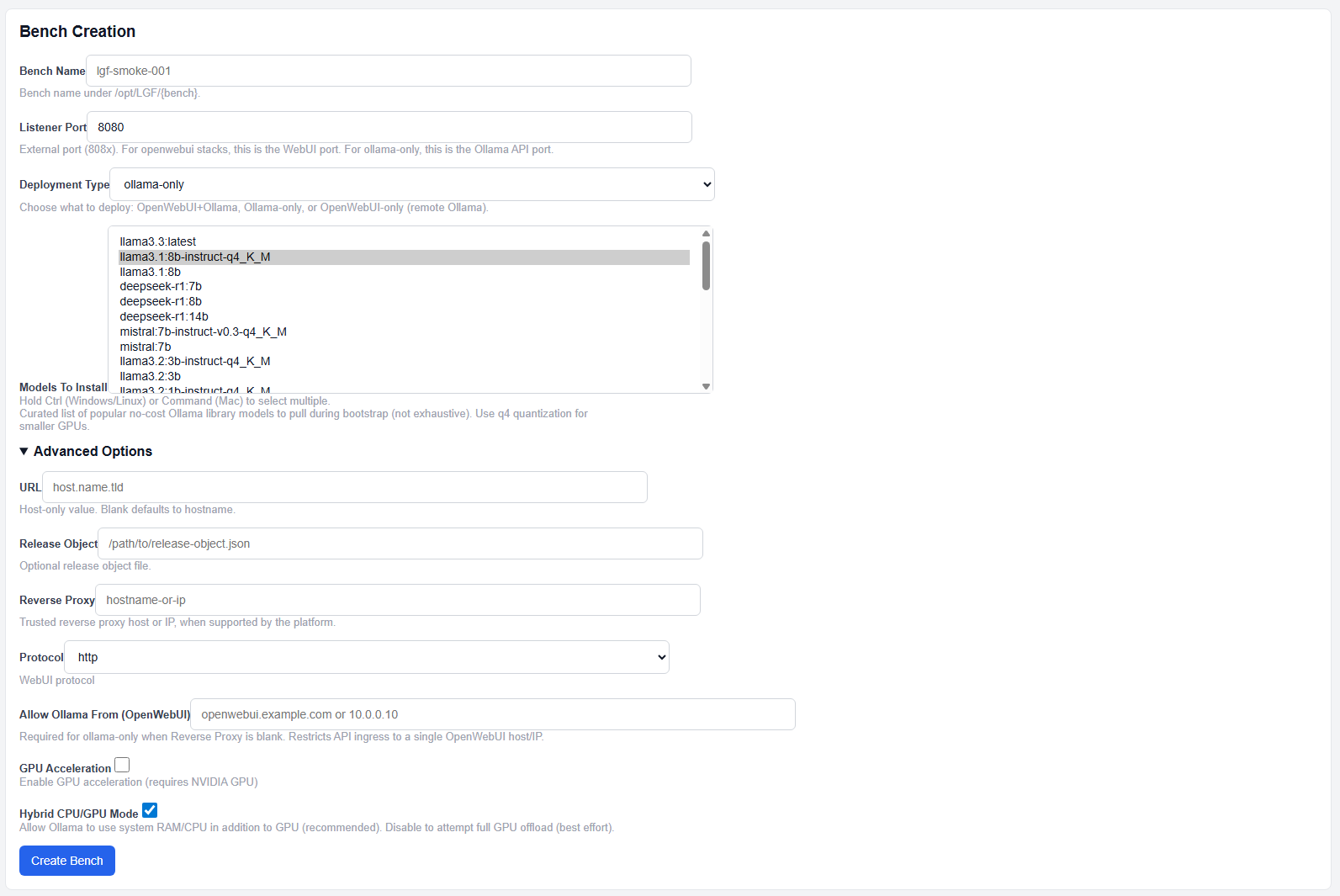
Ollama only deployment
This mode deploys only the Ollama API service.
- No UI is provided
- Designed to be consumed by a separate OpenWebUI instance
- Used for scaling inference across multiple nodes
OpenWebUI Only (Remote Mode)
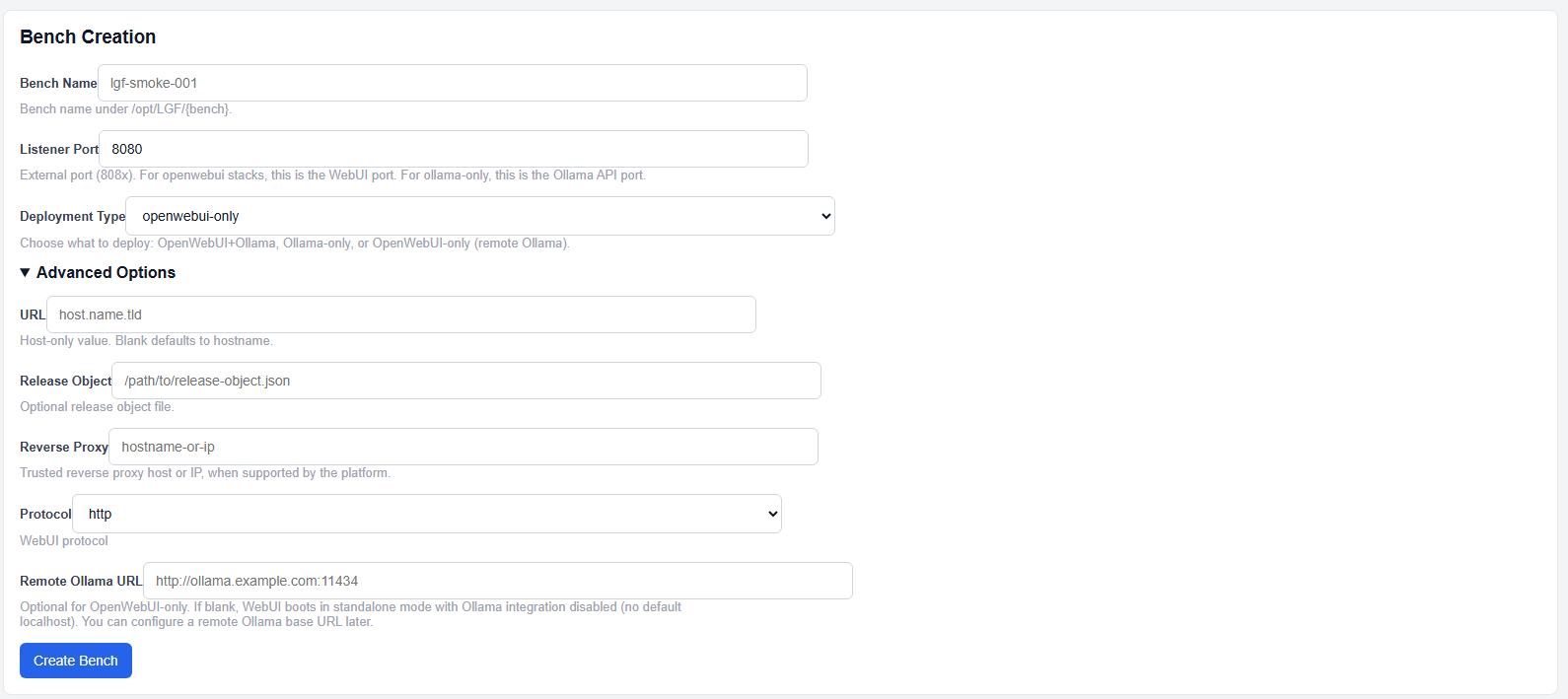
OpenWebUI only deployment
This mode deploys only the OpenWebUI interface.
- Connects to one or more remote Ollama instances
- Used for centralized UI across multiple inference nodes
Deployment
- Select Ollama from the platform dropdown.
- Enter a Bench Name.
- Set the Listener Port.
- Select a Deployment Type.
- Select Models to Install (if applicable).
- (Optional) Configure advanced options.
- Click Create Bench.
Standard Fields
- Bench Name: Unique identifier
- Listener Port:
- WebUI port for UI deployments
- API port for Ollama-only deployments
- Deployment Type: Determines which components are deployed
- Models To Install: Optional model bootstrap selection
The model list is a curated set of commonly used open models optimized for local deployment.
Advanced Options
- Protocol: HTTP or HTTPS for WebUI
- Remote Ollama URL: Required for OpenWebUI-only mode
- Allow Ollama From: Restricts API access to a single UI host/IP
- GPU Acceleration: Enable NVIDIA GPU usage
- Hybrid CPU/GPU Mode: Allow fallback to CPU/RAM (recommended)
- Reverse Proxy: Optional external ingress control
⚠️ GPU Allocation Behavior
LGF enforces deterministic GPU assignment:
- One Ollama instance per GPU
- GPUs are assigned sequentially:
- First instance → GPU0
- Second instance → GPU1
- Third instance → GPU2
If no GPUs are available, GPU acceleration cannot be enabled.
⚠️ Security Model (Important)
Ollama APIs are never exposed openly by default.
- Ollama-only deployments must be:
- Linked to an OpenWebUI instance OR
- Placed behind a reverse proxy
- If no reverse proxy is configured:
- Allow Ollama From must be set
- This restricts access to a single trusted host/IP
This is a deliberate safety control to prevent unrestricted model API exposure.
Expected Result
- The selected stack is deployed
- Models (if selected) are pulled during initialization
- Services become accessible based on deployment mode
Important Notes
- Deployment type determines architecture (UI, API, or both)
- Models are optional but recommended for first-time use
- GPU acceleration requires compatible hardware
- Hybrid mode is recommended for most environments
- Ollama API exposure is restricted by design
- Reverse proxy is required for controlled external access
Next Steps
- Access the WebUI (if deployed)
- Verify model availability
- Connect UI to remote Ollama nodes if using multi-node architecture
- Scale inference by deploying additional Ollama-only benches