The Air Traffic Control (ATC) platform provides centralized fleet inventory and orchestration for LGF appliances. Hosts register to ATC and report bench inventory and status, enabling centralized visibility and grouping.
Overview
ATC is used when you want a central control plane separate from individual Operator Consoles.
- Hosts register to ATC
- Bench inventory and status are reported
- Workshops group benches
- Groups organize hosts
This allows centralized visibility and coordination across multiple LGF systems.
Deployment
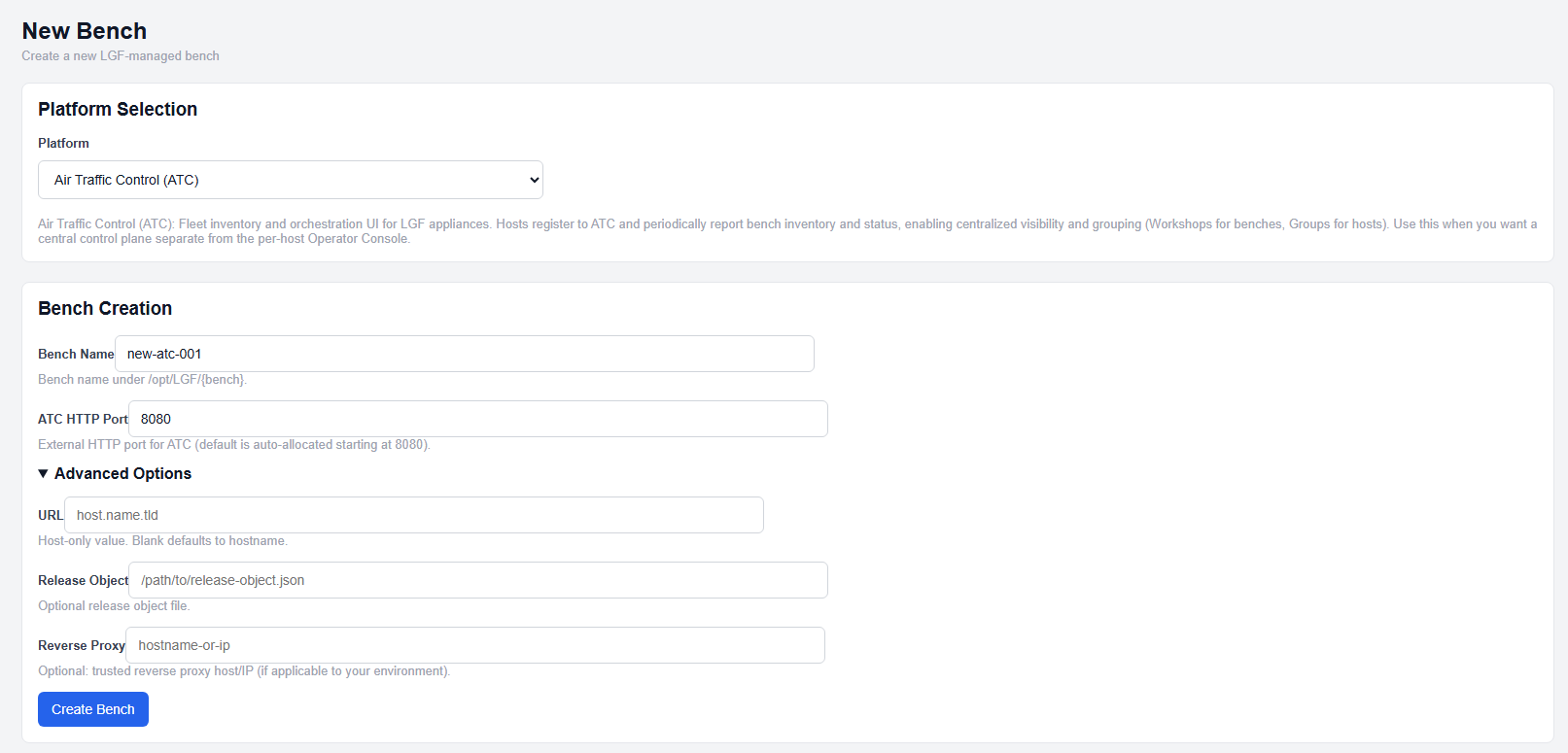
ATC deployment configuration
- Select Air Traffic Control (ATC) from the platform dropdown.
- Enter a Bench Name.
- Set the ATC HTTP Port or leave the default.
- (Optional) Configure additional fields.
- Click Create Bench.
Configuration Fields
- Bench Name: Unique identifier for the ATC instance
- ATC HTTP Port: External HTTP listener port (auto-allocated starting at 8080 if not set)
Optional Fields
- URL: Host-only URL (no scheme, path, or port)
- Reverse Proxy: Trusted reverse proxy host or IP
These fields are optional and follow the standard LGF platform configuration model.
Expected Result
- The ATC bench is created and enters a building state
- Services are deployed and initialized
- The ATC interface becomes accessible via configured port or hostname
Important Notes
- ATC acts as a centralized control plane for multiple LGF hosts
- Hosts must be registered to ATC after deployment
- URL must be host-only (no scheme, path, or port)
- Reverse proxy configuration is optional and environment-specific
Next Steps
- Register hosts to the ATC instance
- Organize hosts into groups
- Manage benches through ATC workshops