The Workshops page is used to organize benches into logical groupings. Workshops provide a way to group workloads across hosts for visibility and management.
Create a Workshop
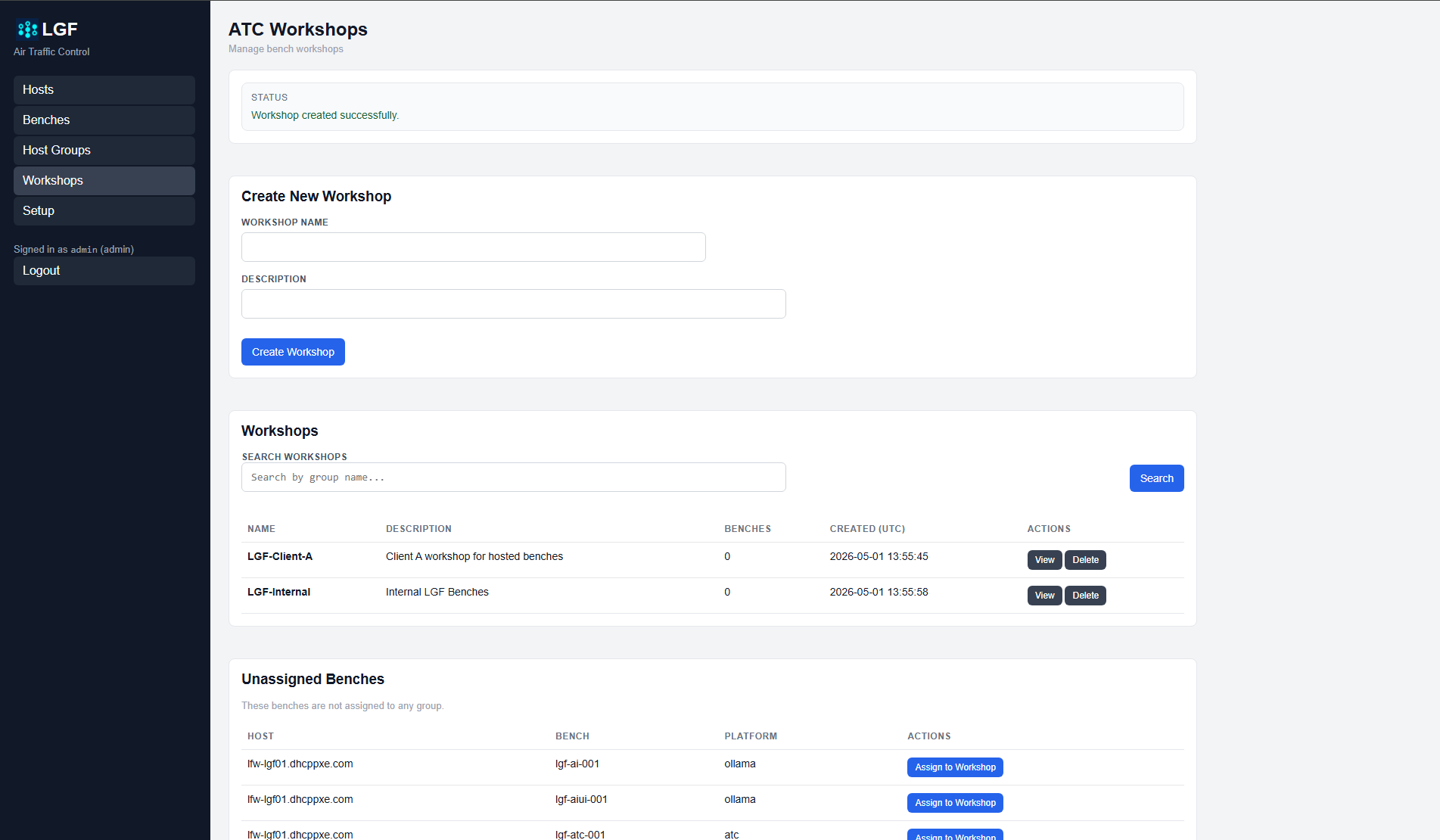
ATC Workshops page
- Enter a Workshop Name.
- Optionally enter a Description.
- Click Create Workshop.
View and Search Workshops
The Workshops list shows all created workshops and includes:
- Name: Workshop name
- Description: Optional description
- Benches: Number of benches assigned
- Created: Timestamp of creation
Use the Search field to filter workshops by name.
Assign Benches to a Workshop
Benches can be assigned to workshops from this page using the Unassigned Benches section.
- Click Assign to Workshop next to a bench.
- Select a workshop.
- Save the assignment.
View or Delete a Workshop
- Click View to see benches assigned to the workshop.
- Click Delete to remove the workshop.
Expected Result
- Workshops can be created and listed.
- Workshops can be searched by name.
- Benches can be assigned to workshops.
- Unassigned benches are visible and assignable.