The General Deployment process defines how platforms are deployed as benches within LGF. All platform deployments follow the same controlled workflow using the Operator Console.
Overview
Deployment consists of:
- Selecting a platform
- Defining a bench name
- Configuring network and optional settings
- Creating the bench
This process is consistent across all supported platforms.
Deployment Workflow
1. Open New Bench
From the Operator Console, click + New Bench.
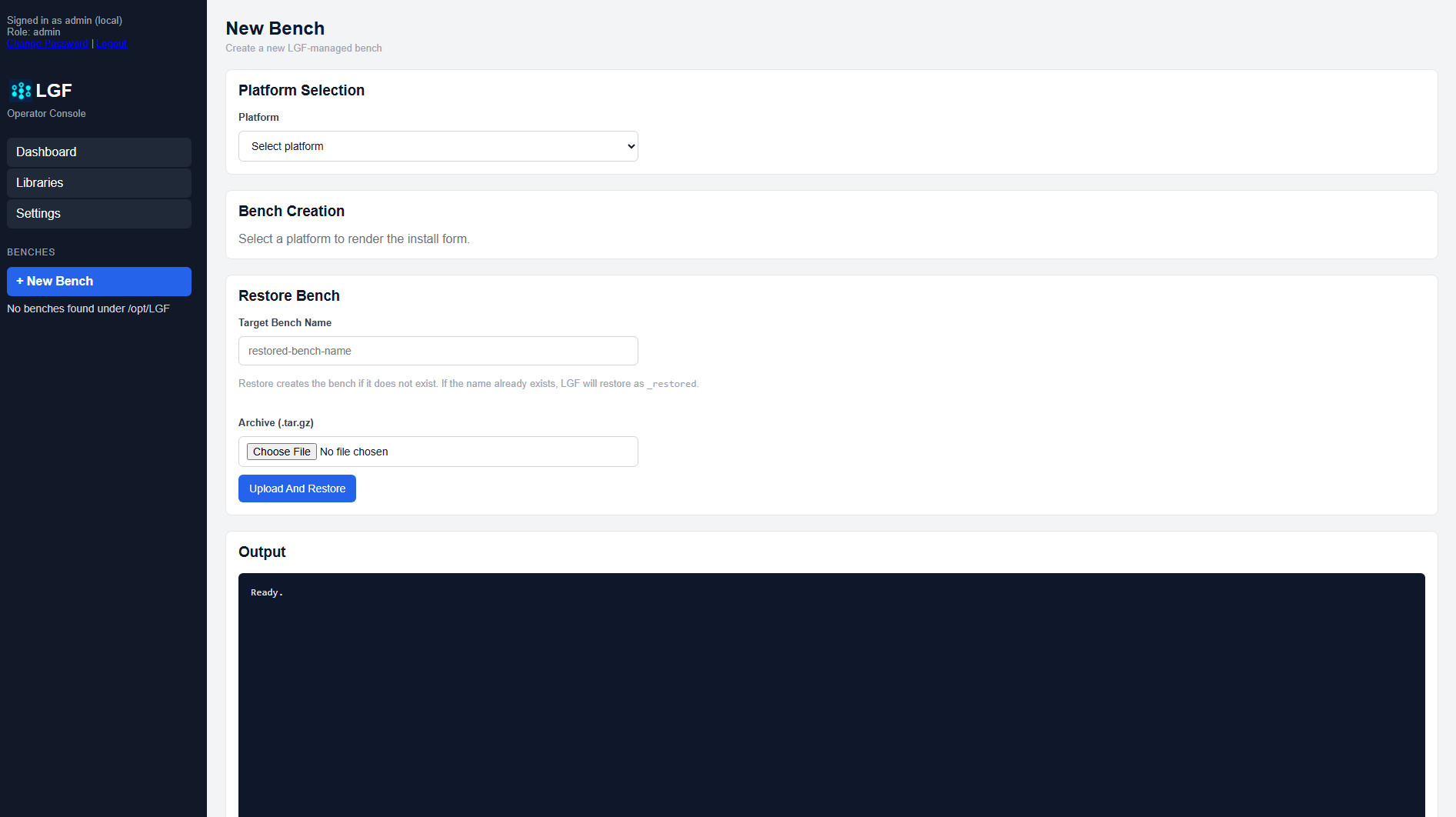
Blank New Bench form
2. Select Platform
Choose the platform you want to deploy from the Platform dropdown.
3. Configure Bench
- Bench Name: Unique identifier for the deployment
- Port: Assigned port or system default
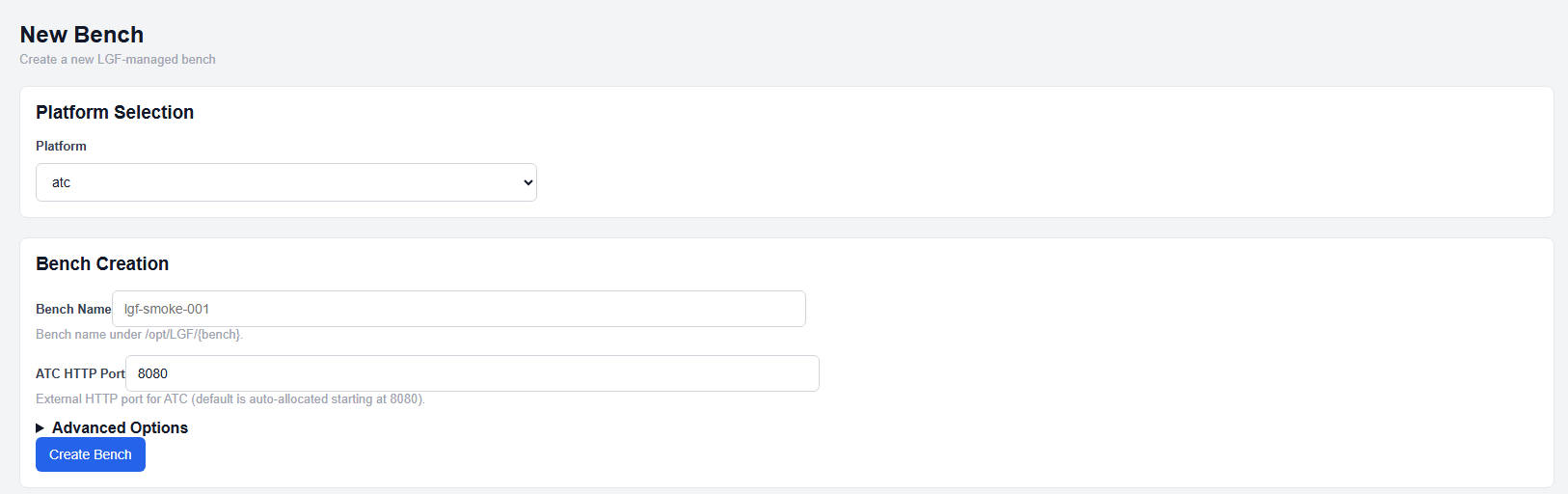
Bench configuration section
4. Configure Advanced Options
Expand Advanced Options to configure platform-specific settings.
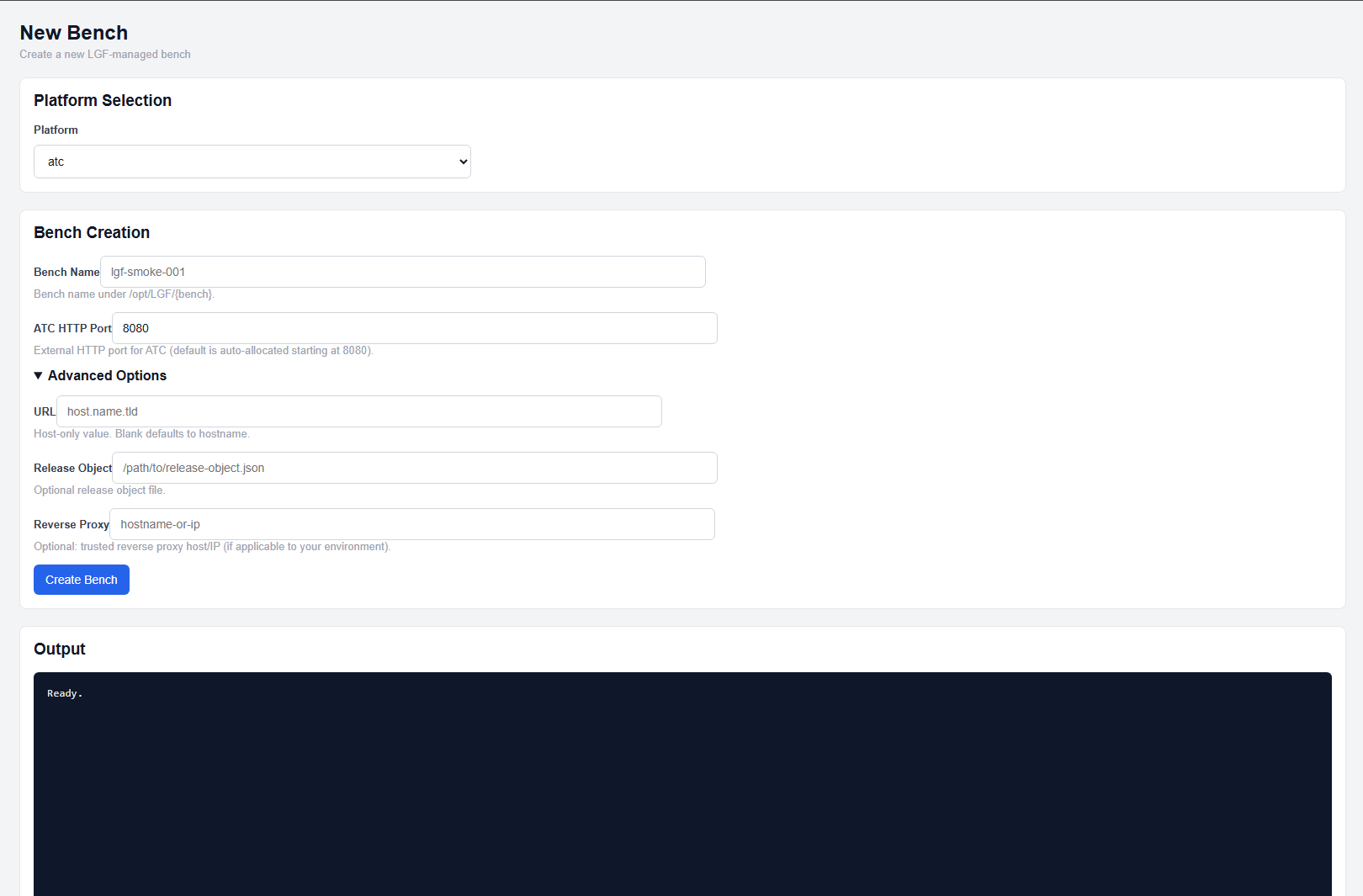
Advanced options expanded
5. Create Bench
Click Create Bench to begin deployment.
The system will:
- Validate configuration
- Acquire sources
- Render environment and compose configuration
- Deploy and initialize services
Reverse Proxy Behavior
Automatic Reverse Proxy:
If a base domain is configured and no external reverse proxy is defined, LGF will create a hostname using:
<benchname>.<domain>
This hostname must be configured in DNS for access.
Expected Result
- The bench enters a Building state
- Services are deployed and initialized
- The platform becomes accessible via port or hostname
Important Notes
- All platforms follow this same deployment pattern
- Platform-specific options are defined in Advanced Options
- Bench names must be unique
Next Steps
- Refer to platform-specific deployment guides for required options
- Use Bench Details to monitor deployment
- Use Repair if deployment fails