Host Registration connects an LGF host to Air Traffic Control (ATC), enabling centralized visibility, inventory tracking, and bench synchronization.
Overview
When a host is registered with ATC:
- The host reports its identity and inventory to ATC
- All benches on the host are synchronized
- The host becomes manageable from the ATC interface
Registration is initiated from the Operator Console on the host.
Step 1 — Obtain Registration Secret (ATC)
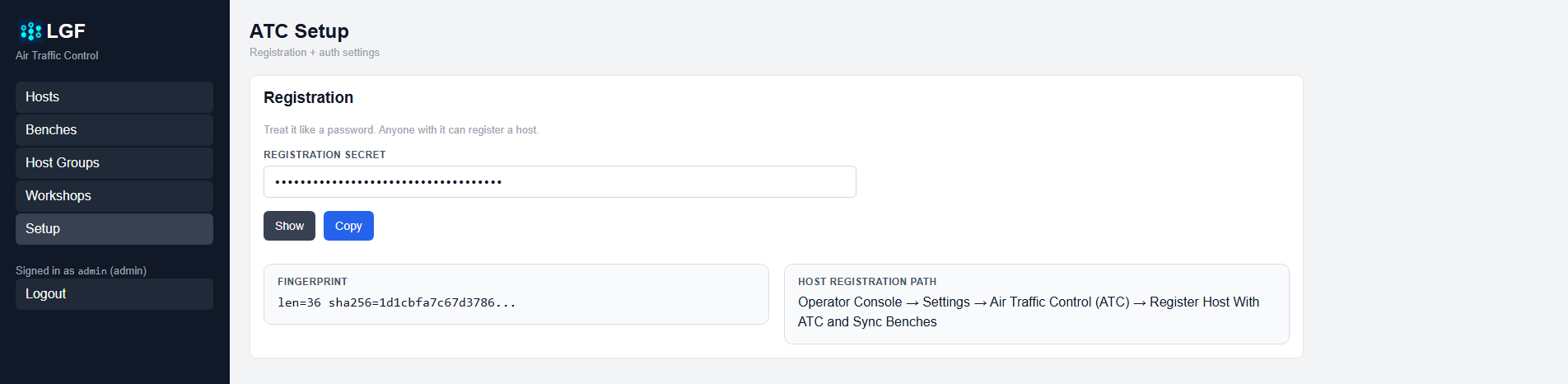
ATC registration secret
- Log in to the ATC interface.
- Navigate to Setup.
- Locate the Registration Secret.
- Copy the secret value.
Important: Treat the registration secret like a password. Anyone with this value can register a host with ATC.
Step 2 — Configure Host (Operator Console)
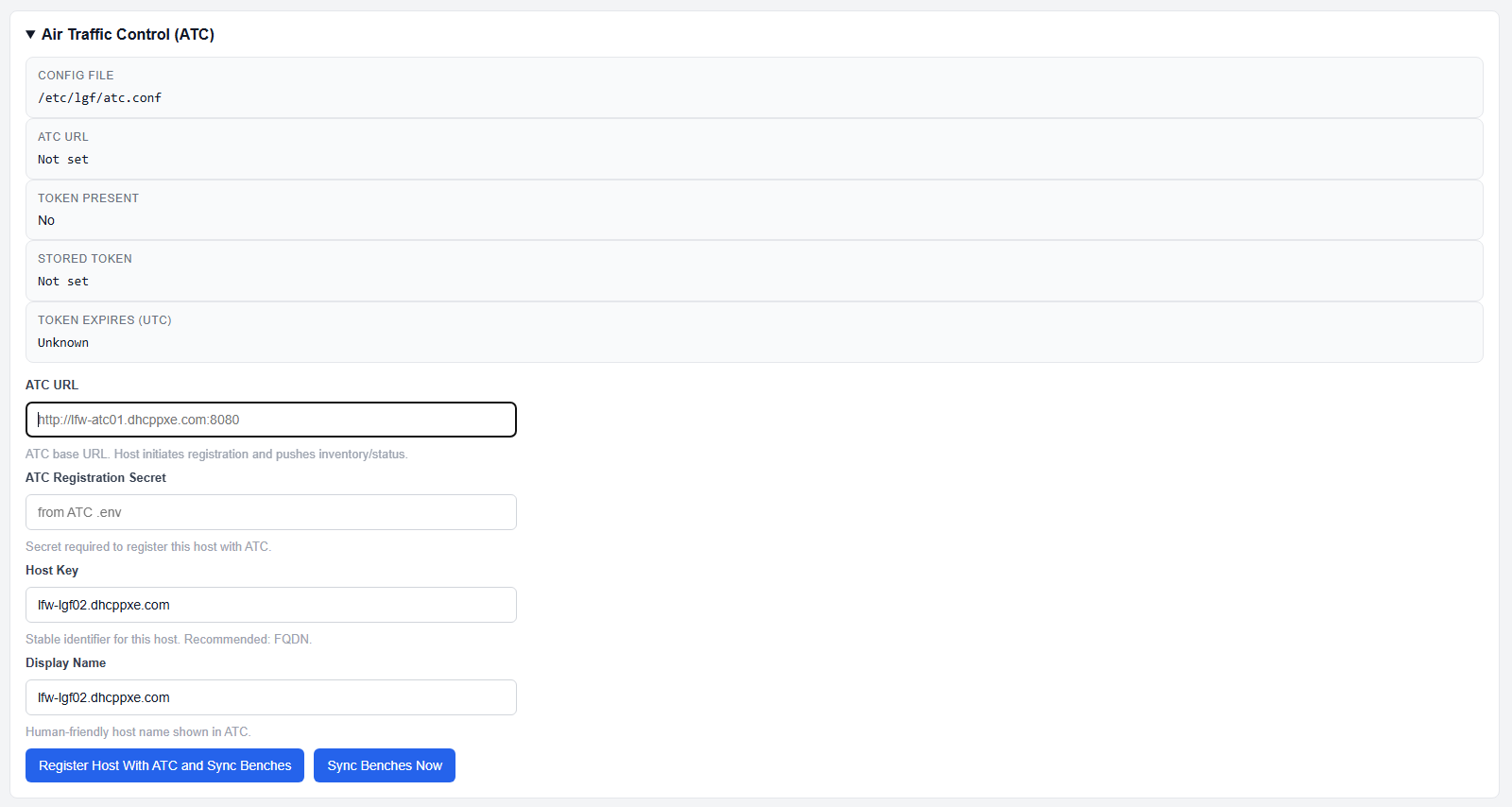
ATC configuration before registration
- Open the Operator Console on the host.
- Navigate to:
Settings → Air Traffic Control (ATC) - Enter the following values:
- ATC URL: Base URL of the ATC server
- ATC Registration Secret: Secret copied from ATC
- Host Key: Unique identifier (recommended: FQDN)
- Display Name: Human-readable host name
Step 3 — Register Host
- Click Register Host With ATC and Sync Benches.
This performs two actions:
- Registers the host with ATC
- Immediately synchronizes all benches
Step 4 — Verify Registration
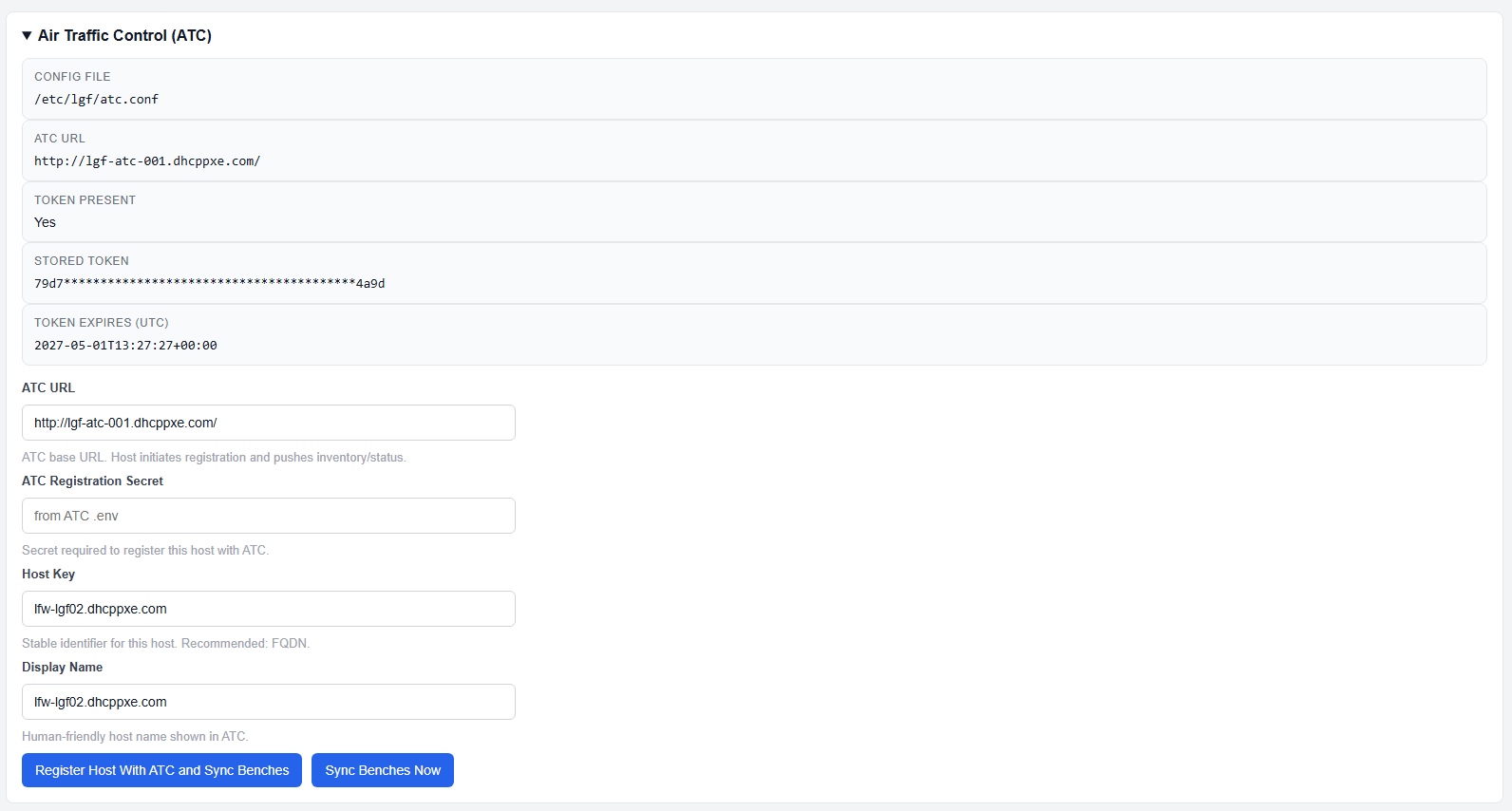
ATC configuration after successful registration
After successful registration:
- Token Present: Yes
- Stored Token: Populated
- Token Expiration: Displayed
- ATC URL: Confirmed
The host is now connected to ATC.
Syncing Benches
After registration, you can manually sync benches at any time:
- Click Sync Benches Now
This updates ATC with the current state of all benches on the host.
Expected Result
- The host appears in the ATC Hosts list
- All benches are visible in ATC
- Ongoing synchronization keeps ATC up to date
Important Notes
- Registration requires a valid ATC URL and secret
- Host Key should be stable and unique (FQDN recommended)
- Registration creates a persistent authentication token
- Token expiration is managed by ATC
- Re-registration may be required if the token expires or is revoked
Troubleshooting
- Registration fails:
- Verify ATC URL is reachable
- Confirm registration secret is correct
- No benches appear in ATC:
- Click Sync Benches Now