The Bench Details view is the central control surface for an individual bench. It provides lifecycle controls, validation tools, configuration visibility, and access to diagnostics and recovery operations.
Overview
From this page, you can:
- Control bench lifecycle (start, stop, update, repair, nuke)
- Verify configuration and operational health
- Access platform metadata and rendered configuration
- Generate reverse proxy configurations
- Create and download support bundles
- Perform backup and restore operations
Bench Details Layout
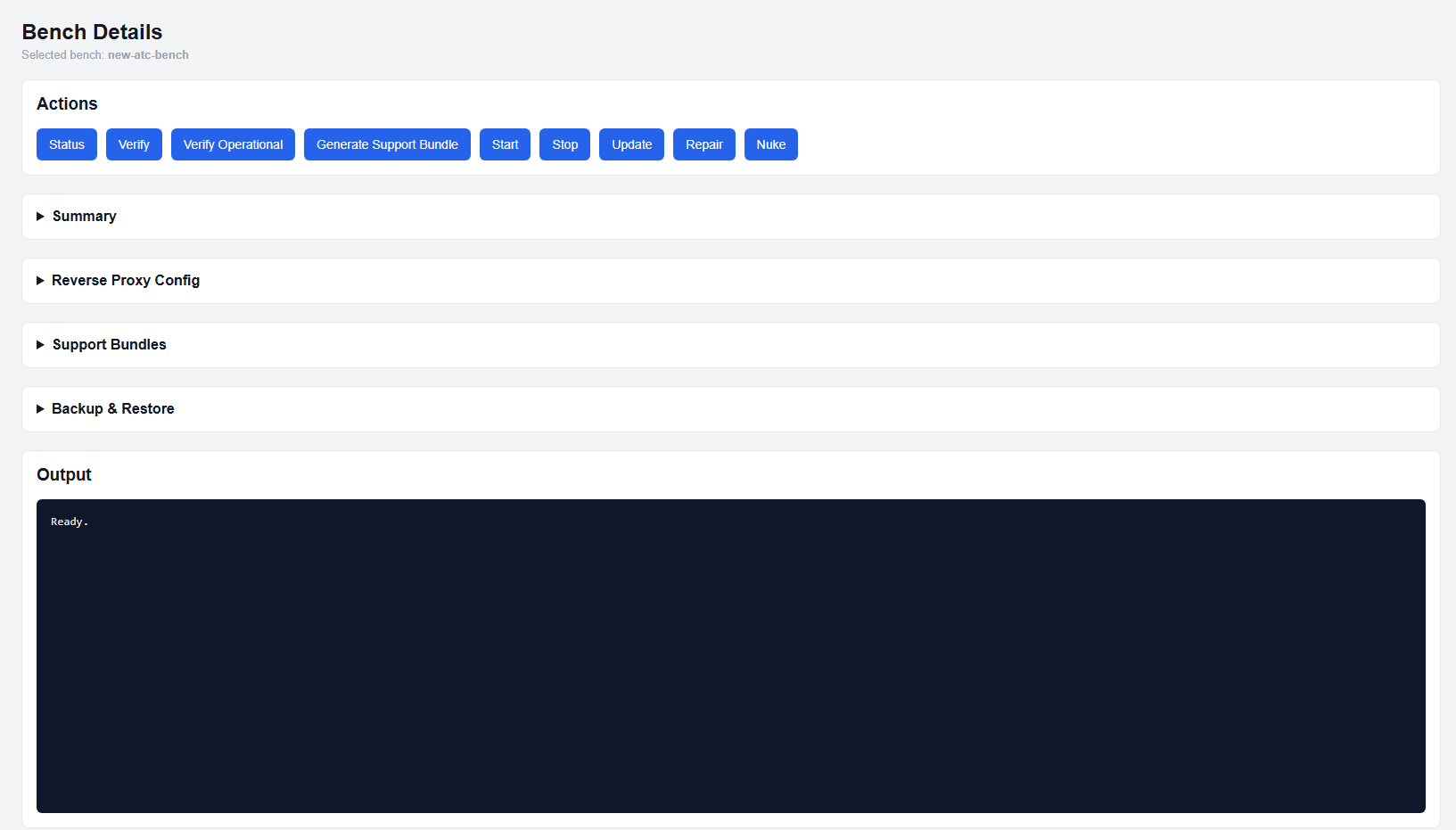
Bench details view with all sections collapsed
Actions
The Actions section is always visible at the top and provides direct control over the bench.
- Status: Displays the current state of all containers
- Verify: Validates configuration integrity and compliance
- Verify Operational: Confirms the bench is running and accessible
- Generate Support Bundle: Creates a downloadable diagnostic package
- Start / Stop: Controls bench runtime state
- Update: Pulls authorized sources and applies updates to containers
- Repair: Attempts deterministic recovery when verify fails or runtime is broken
- Nuke: Permanently destroys the bench and all associated data
Warning: The Nuke action is destructive and cannot be undone. Ensure backups are created before proceeding.
Summary
The Summary section provides a structured view of bench configuration and metadata.
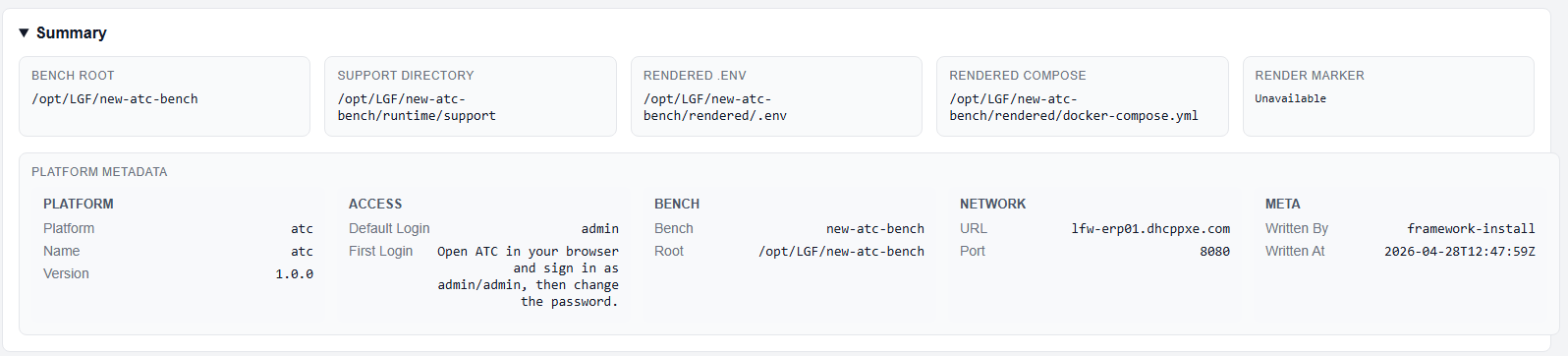
Summary section expanded
Directory Information
- Bench Root: Root directory of the bench
- Support Directory: Location of support bundles and artifacts
- Rendered .env: Active environment configuration file
- Rendered Compose: Generated docker compose configuration
- Render Marker: Indicates last successful render state
Platform Metadata
Displays platform-specific details, including:
- Default login username
- Platform-specific configuration values
- Connection details
Reverse Proxy Config
The Reverse Proxy Config section generates ready-to-use configuration for external reverse proxy systems.
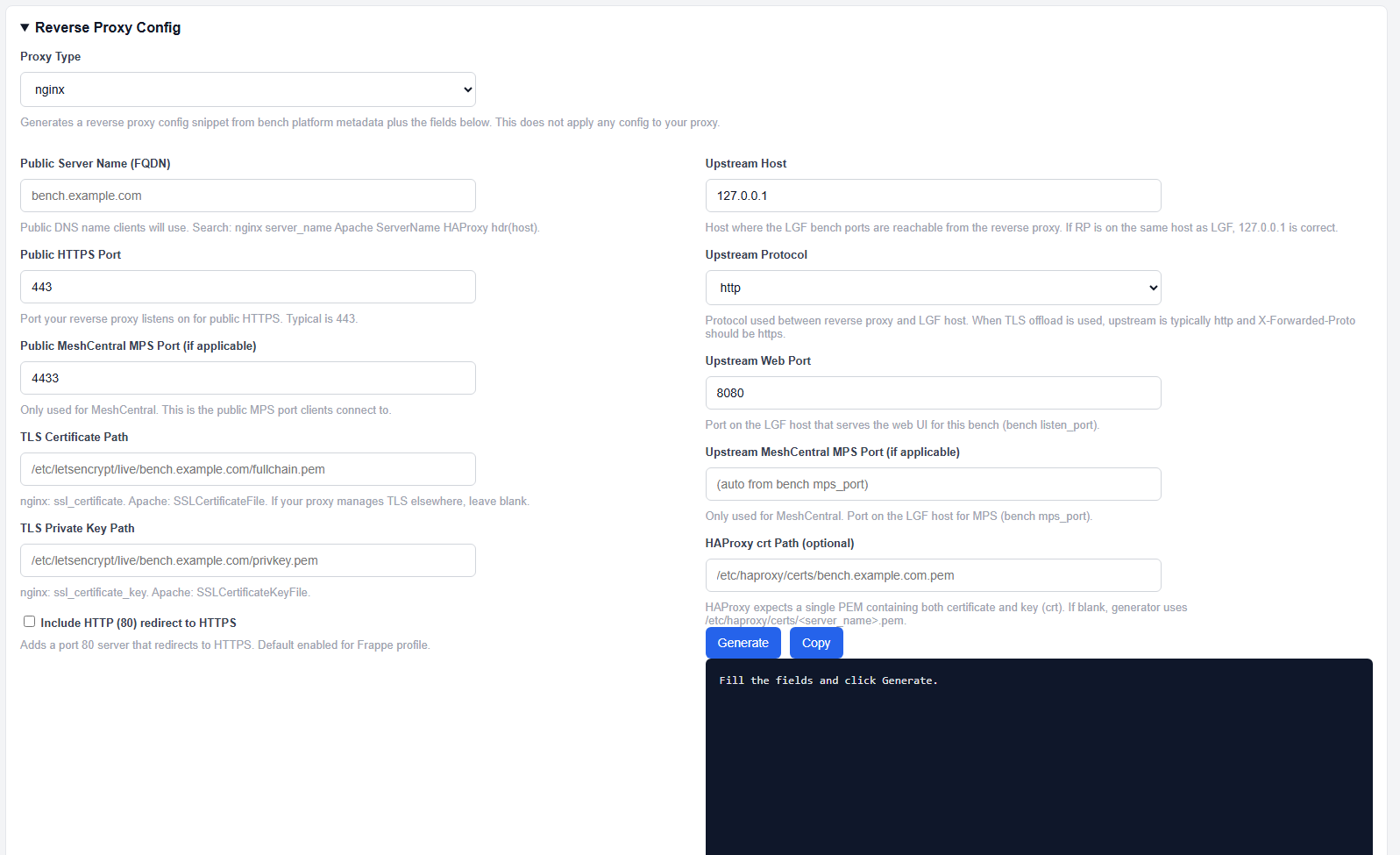
Reverse Proxy Config section expanded
Supported configurations include:
- NGINX
- HAProxy
- Apache
These configurations are generated based on the bench's metadata and selected inputs, without modifying system state.
Support Bundles
The Support Bundles section allows you to generate and download diagnostic packages.

Support Bundles section
Support bundles include:
- Configuration state
- Logs
- Runtime diagnostics
These bundles are used for troubleshooting and escalation.
Backup & Restore
The Backup & Restore section provides data protection and recovery tools.
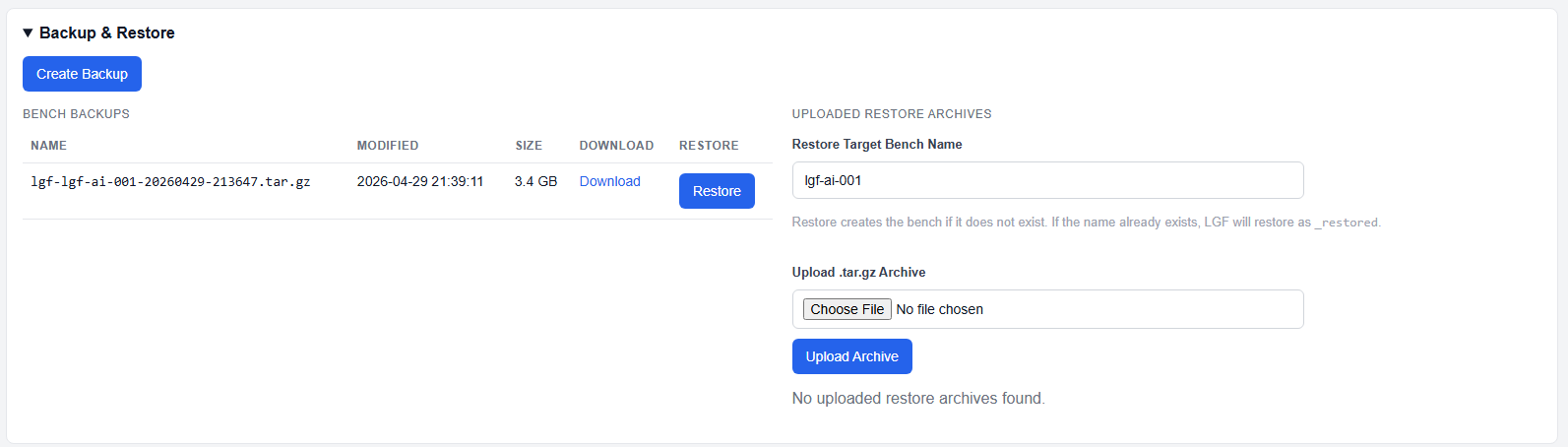
Backup & Restore section
- Create Backup: Generates a backup of the current bench state
- Download Backup: Retrieve created backups
- Restore Backup: Restore from an existing backup
- Upload & Restore: Upload external backup archives and restore them
Expected Usage Pattern
- Use Status and Verify for routine checks
- Use Verify Operational to confirm accessibility
- Use Support Bundles before escalation or troubleshooting
- Use Repair when drift or failure is detected
- Use Nuke only for intentional retirement
Common Notes
- All actions are executed through the framework and respect authority controls
- Rendered configuration files reflect the current enforced state, not manual edits
- Support bundles should be generated before performing destructive actions
Next Steps
- Use Repair for failure recovery workflows
- Use Support Bundles for diagnostics and escalation
- Refer to platform-specific deployment guides for deeper configuration